
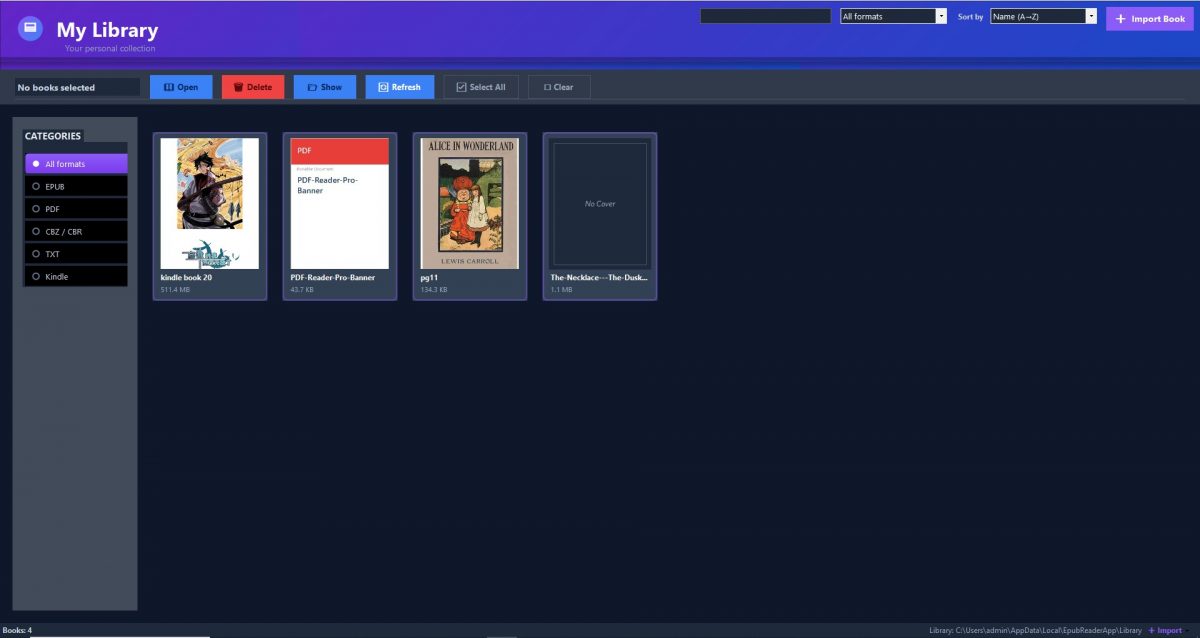
Digital books and electronic documents have become important resources for education, research, and professional development. However, working with multiple file formats and lengthy publications can make reading less efficient without the right software. KDL E-reader offers a dedicated Windows reading environment designed to help users navigate digital content and organize important information.
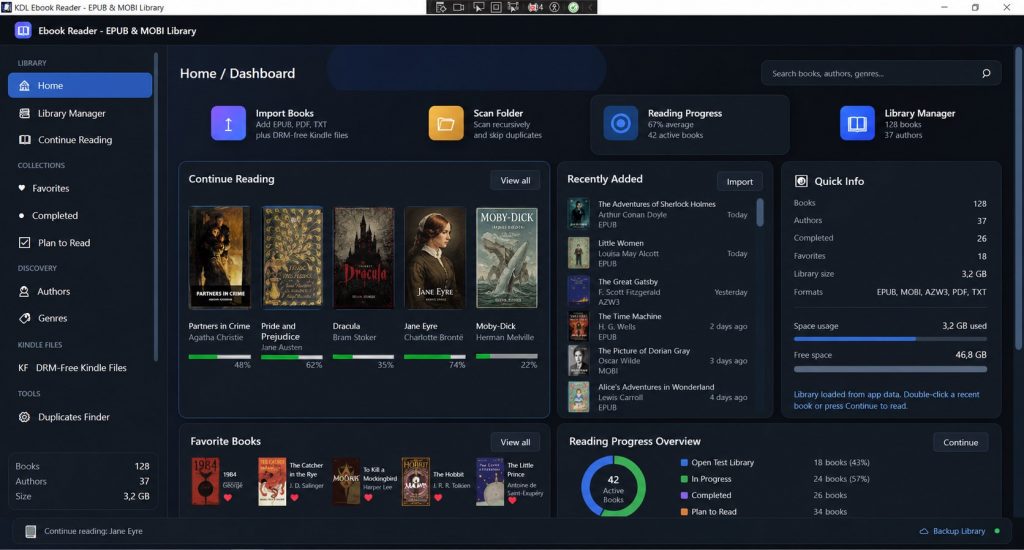
The application supports several common ebook formats and includes tools for searching, highlighting, taking notes, and listening to text. These features make it worth considering for users who regularly read more than just novels on their computers.
A Practical Tool for Learning and Research
For students and researchers, reading often involves more than moving from one page to another. Finding specific information, reviewing important passages, and returning to earlier sections are essential parts of the process.
KDL E-reader provides several functions that can help streamline these activities:
Quick Information Retrieval: Full-text search makes it easier to locate keywords, definitions, and specific topics in supported documents.
Better Study Organization: Highlighting and annotations help users identify important passages for revision.
Convenient Chapter Navigation: A table of contents allows readers to move directly to relevant sections.
Flexible Reading Options: Text-to-speech functionality provides an alternative way to engage with supported content.
Broad File Compatibility: Support for formats such as EPUB, MOBI, AZW3, FB2, CBZ, and PDF reduces the need for separate readers.
These capabilities can be particularly useful when working through reference books, course materials, digital manuals, and other long-form content.
Making Everyday Digital Reading More Efficient
KDL E-reader is not limited to academic use. Casual readers can use it to manage compatible ebook files, while professionals may find its search and navigation features useful when reviewing documentation.
For example, someone studying a new subject can highlight important concepts and revisit them later. A professional reading a lengthy manual can search for a specific procedure instead of browsing every page. Readers who prefer listening can also explore the built-in text-to-speech feature where supported.
As with any ebook application, the experience depends partly on the source file. Complex formatting, digital rights management, and certain document structures may affect how individual publications open or display.
What to Consider Before Purchasing KDL E Reader
Before buying the application, users should confirm that it fits their reading habits and technical requirements.
Consider the following points:
Operating System: Verify that your Windows version is compatible with the software.
File Formats: Check whether your existing ebook collection uses supported formats.
Reading Features: Decide whether search, annotations, dictionary support, and text-to-speech meet your needs.
Activation Details: Review the license type, region restrictions, and activation instructions associated with the purchase.
Readers exploring software purchasing options can visit z2u.com to look for a KDL E-reader Account and compare available offers. Reviewing listing descriptions and seller information before completing an order can help avoid confusion about the product edition or activation process.
Is KDL E Reader Worth Considering
For Windows users who regularly work with digital books and documents, KDL E-reader brings together several useful reading functions in one application. Its combination of format support, chapter navigation, text search, annotations, and speech features can help create a more organized reading workflow.
Whether you are studying, researching, or simply enjoying ebooks in your spare time, choosing a reader that fits your preferred formats and reading habits can make digital content easier to manage. KDL E-reader is one option to consider when building a convenient desktop reading setup.